Spool Clipboard
Local-only clipboard manager · Electron, native Win32 addon, no network code
My first app published on the Microsoft Store. The idea came from QA: a tester copies many small things from many places — reproduction steps from a ticket, values from a wiki, a key from a vault — and pastes them somewhere else in a set order, one at a time, because the system clipboard holds one item. Spool holds the items in order and gives them back in that order. You wind clips on by copying; you play them off one at a time or all at once, arranged how you want them.
The privacy claim is a test, not a promise. The app has no network code, and that is checked on every build: a gate fails on any networking API in src/ or native/, on any of seven banned packages, and on any change to the dependency tree that is not in a committed snapshot. At startup the main process replaces fetch, http, https, net and dgram with functions that throw, and a test asserts each one does. There is no auto-updater, because an updater is network code.
Electron, React and TypeScript over a native C++ addon for the clipboard listener, with an encrypted SQLCipher store whose key is sealed to the machine. Fourteen milestones in sixteen days, then eight days of packaging and Store work: 25 days in the evenings, 27 pull requests, two production dependencies, 371 tests. Two features — starred spools and secret detection — were built, tested, shipped and then removed, each with a commit that says why.

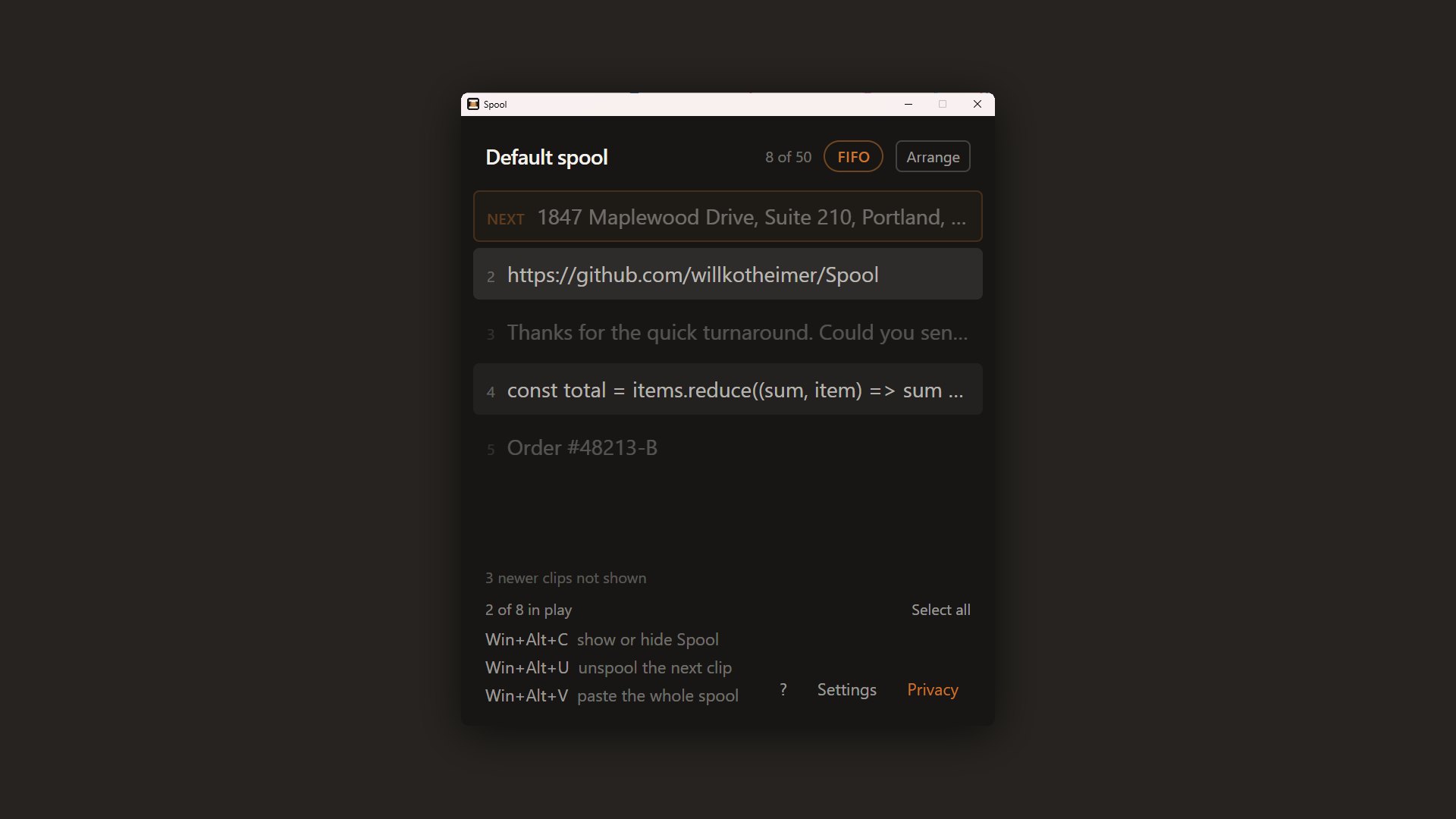
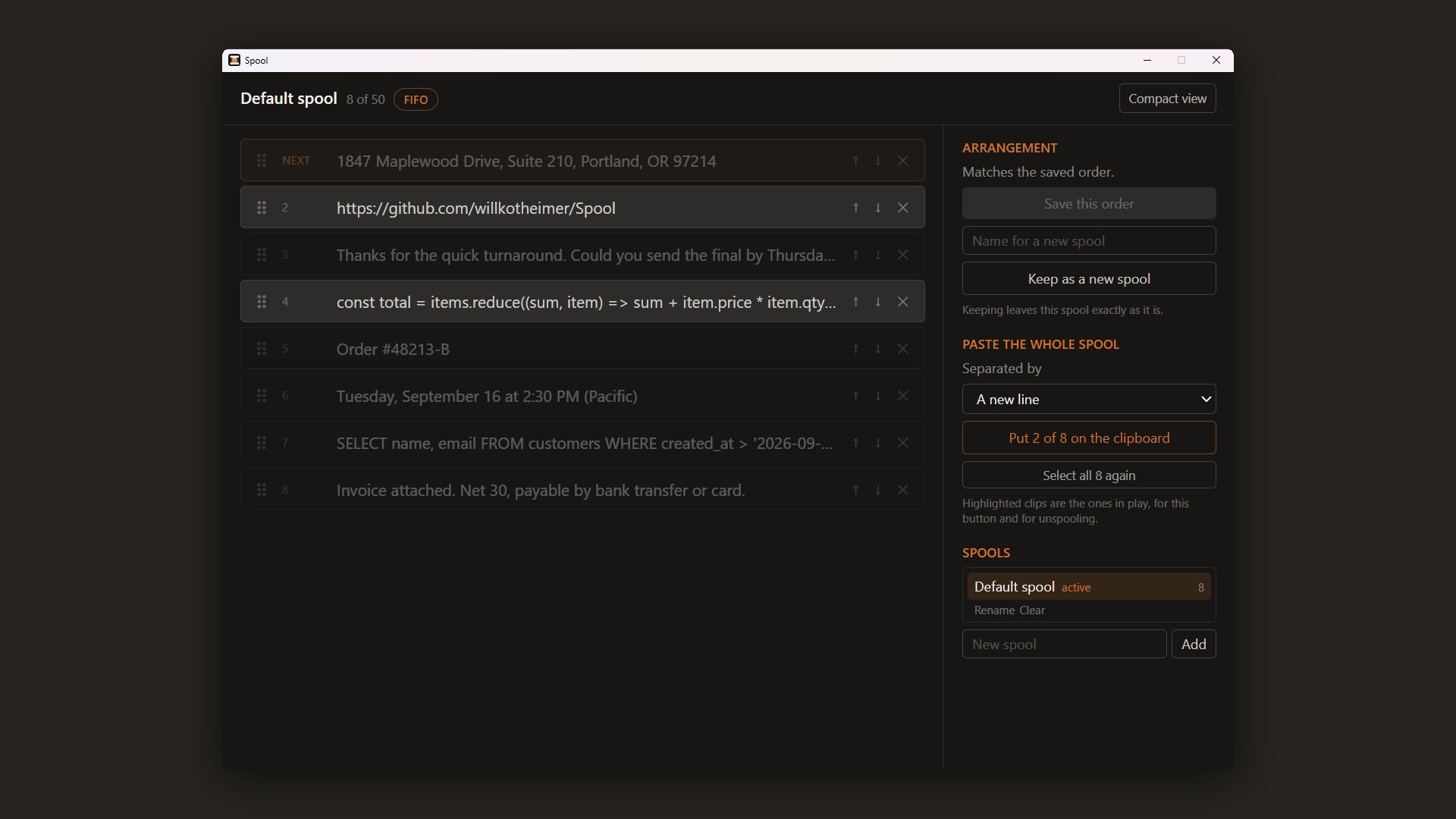
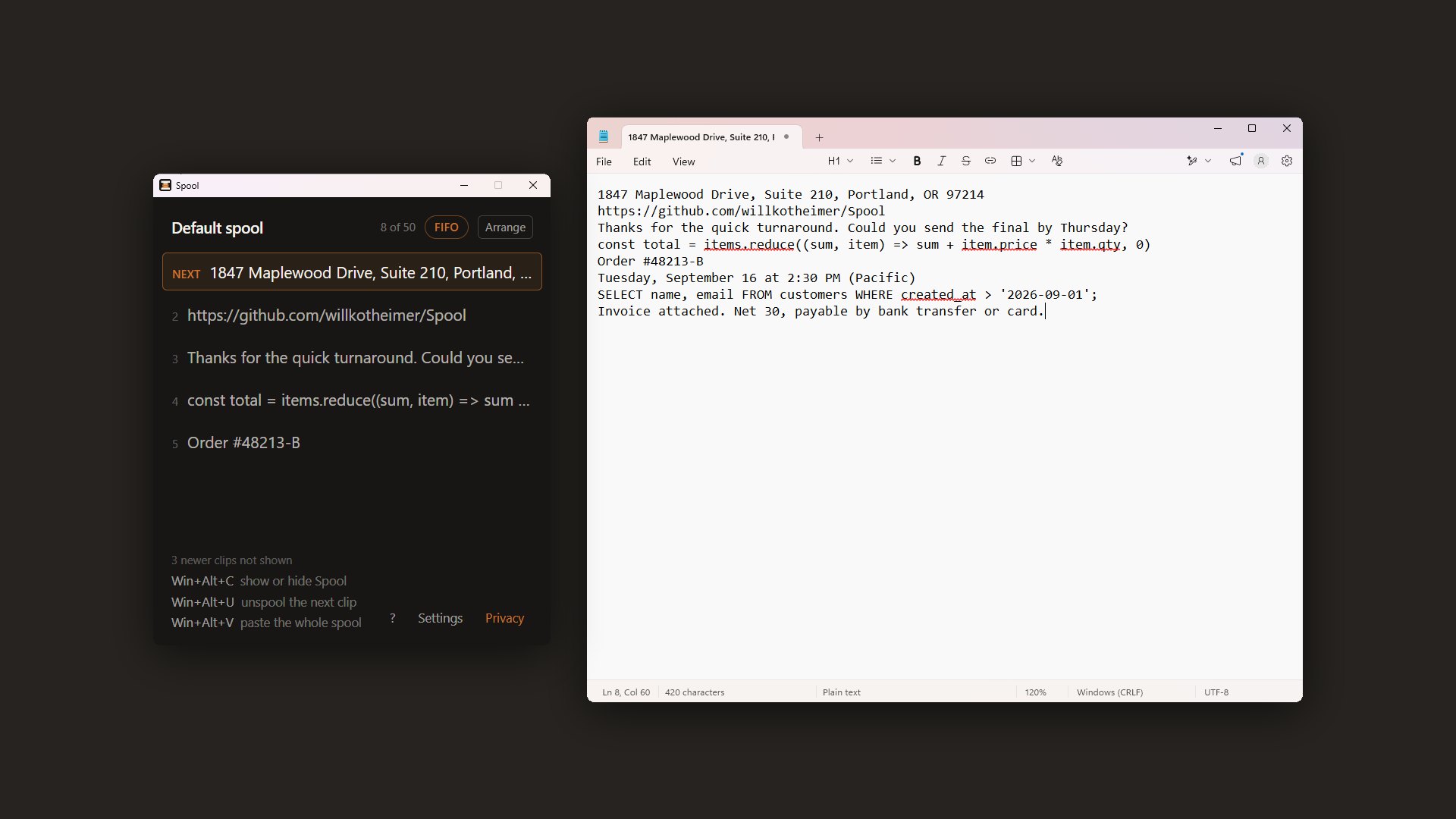
The clips in every shot are seeded examples, not captures. Playwright cannot press a global hotkey or show a paste landing in another window, so these were taken by a script driving the packaged app; the other projects' walkthrough recordings do not fit here for the same reason.
A hotkey fires on key-down, so when the handler runs the user is still holding Win+Alt. The first version synthesized Ctrl+V into that state, and Windows received Win+Alt+Ctrl+V, which is a paste in no application. It looked intermittent, because a handler that ran after the keys came up worked — and that is how it got through a round of testing.
Lifting the held modifiers before Ctrl+V fixed the paste and broke the gesture: Windows now believed Win was up while the user still held it, so the next U typed a bare u. Unspool worked once and then printed uuuu. The version that shipped lifts every modifier that is down, pastes, presses them all back, and then sends one unassigned virtual key so a restored Win does not open the Start menu on release. Both failures came from the user's hands, not the code.
Napi::Value SendPaste(const Napi::CallbackInfo& info) {
  Napi::Env env = info.Env();

  HWND foreground = GetForegroundWindow();
  if (foreground == nullptr) return Napi::Boolean::New(env, false);

  DWORD foreground_pid = 0;
  GetWindowThreadProcessId(foreground, &foreground_pid);
  if (foreground_pid == GetCurrentProcessId()) return Napi::Boolean::New(env, false);

  const WORD kModifiers[] = {VK_LWIN,   VK_RWIN,   VK_LMENU,    VK_RMENU,
                             VK_LSHIFT, VK_RSHIFT, VK_LCONTROL, VK_RCONTROL};

  std::vector<WORD> held;
  for (WORD vk : kModifiers) {
    if ((GetAsyncKeyState(vk) & 0x8000) != 0) held.push_back(vk);
  }

  std::vector<INPUT> inputs;
  const auto key = [&inputs](WORD vk, bool down) {
    INPUT input = {};
    input.type = INPUT_KEYBOARD;
    input.ki.wVk = vk;
    input.ki.dwFlags = down ? 0 : KEYEVENTF_KEYUP;
    inputs.push_back(input);
  };

  for (WORD vk : held) key(vk, false);

  key(VK_CONTROL, true);
  key('V', true);
  key('V', false);
  key(VK_CONTROL, false);

  // Put them back in the order they were found, so the user's own eventual release is the one that
  // ends them.
  for (WORD vk : held) key(vk, true);

  // Re-pressing Win would otherwise open the Start menu the moment the user lets go: Windows opens
  // it on a Win release that had no other key in between, and ours would look exactly like that.
  // An unassigned virtual key marks the chord as used without doing anything else.
  const bool restoredWin = std::find(held.begin(), held.end(), static_cast<WORD>(VK_LWIN)) != held.end() ||
                           std::find(held.begin(), held.end(), static_cast<WORD>(VK_RWIN)) != held.end();
  if (restoredWin) {
    key(0xE8, true);
    key(0xE8, false);
  }

  const UINT expected = static_cast<UINT>(inputs.size());
  const UINT sent = SendInput(expected, inputs.data(), sizeof(INPUT));
  return Napi::Boolean::New(env, sent == expected);
}
The property test applies random sequences of capture, serve, delete, reorder and mode change to a spool and checks two invariants after every step: the cursor points at a clip that exists, and the count never exceeds the cap. The first version passed while never filling a spool past nine clips, so the cap rules never ran — a property that cannot reach the interesting state is a property about the boring one. The fix seeds the spool anywhere from empty to full and fails the run if it never reached eviction or refusal. Three deliberate bugs — clamp the cursor to zero, pop on serve, let a saved spool roll — each fail the suite, which is how the coverage was confirmed rather than assumed.
It was also slow, and the first fix was wrong. One run took 5,096 ms against a 5,000 ms timeout, so the timeout was raised. The next day, measuring found the cause: expect() inside the loop, about 100,000 times. Ten thousand operations took 209 ms with it and 66 ms with plain conditionals; replacing the assertions with thrown errors took the property tests from 5.64 s to 0.27 s, and the raised timeout came back out. The rule that came out of it: never raise a timeout before you measure.
No test calls the OS clipboard, so the same suite runs on Ubuntu and Windows in CI alongside the network gate. What unit tests cannot see — the real Windows clipboard — is verified at every milestone from a second process and recorded in the commit: sixty copies leaving exactly fifty clips, a bitmap and a 5 MiB string each declined with different wording, a database file with no SQLite header and no clip text in it.
The claim is a test, not a promise. The app does not say "we don't send your data". It says there is no code here that could. Node's networking is built into the runtime and cannot be removed, so the guarantee is the weaker-sounding and more demonstrable one: the capability is revoked at startup, every entry point becomes a function that throws a named error, and a test walks all eight of them. The one file allowed to name those APIs is exempted from the build gate by exact path; any other file that reaches for them fails the build.
Two features were removed because nobody reached for them. Starred spools and content-based secret detection. Both worked; both were tested; both shipped. Each has a commit that gives the reason it went, and the plan keeps the removed section as a record rather than deleting it. The is_starred column stays in the schema, always zero, because SQLite cannot drop a column without rebuilding the table, and rebuilding every user's table to reclaim one integer per row is real risk for no visible benefit.
The app asks. It does not decide. Every privacy guard is a prompt or a default; a user who wants to store a password can. The one hard gate is at 95% of the 512 MB store, and it gates capture only — every clip already stored stays readable, servable and reorderable throughout, and capture resumes the moment space is free. Pause is always a door: a modal whose only exits destroy data is a data-loss hazard, not a safeguard.