Receipt Reader
Receipt scanner · Azure Document Intelligence, nothing stored
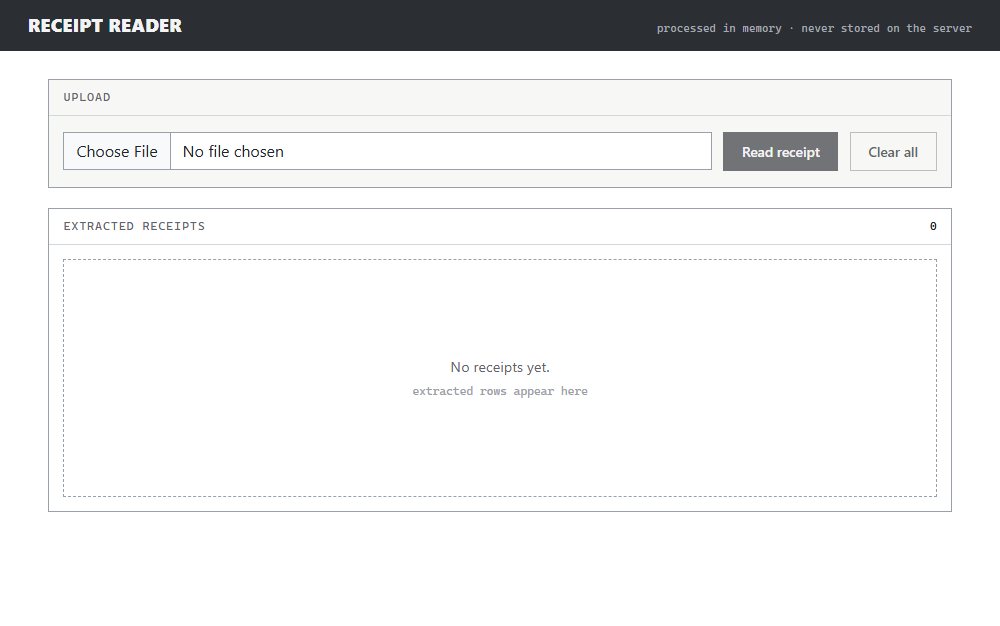
My first go at anything AI, and deliberately the smallest thing that could work: upload a receipt, get a table. What turned out to be interesting is not the reading — Azure's prebuilt-receipt model does that — it is what the app does when the model cannot read it.
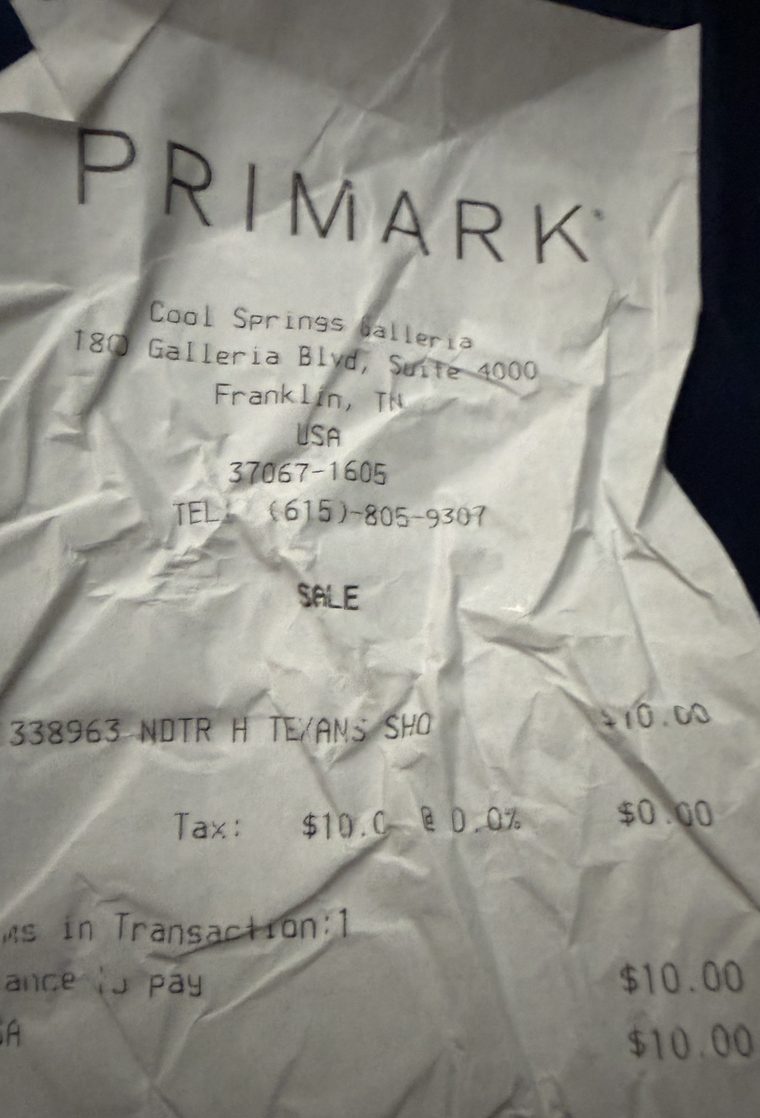
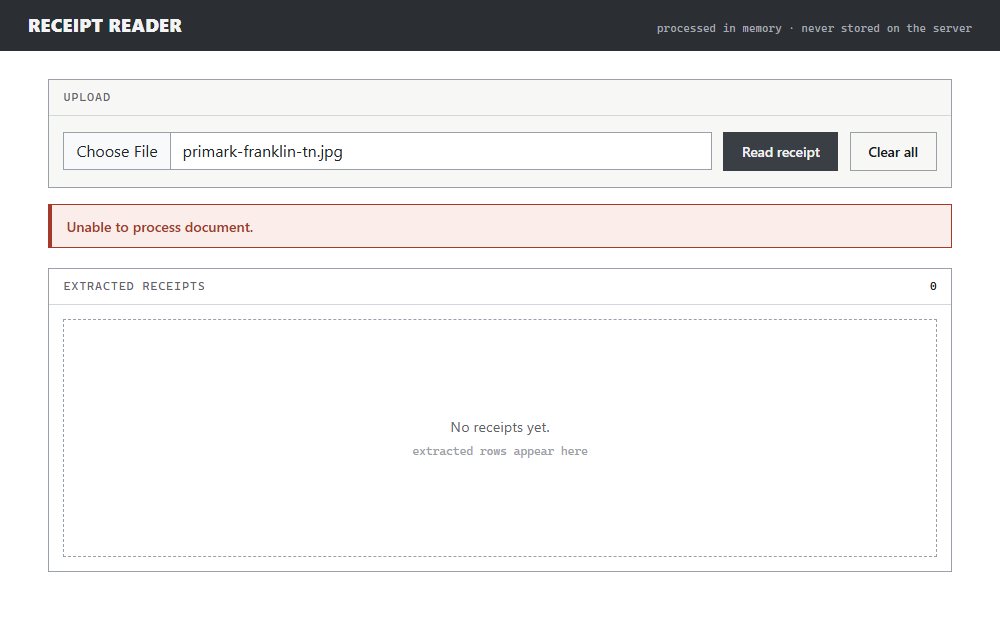
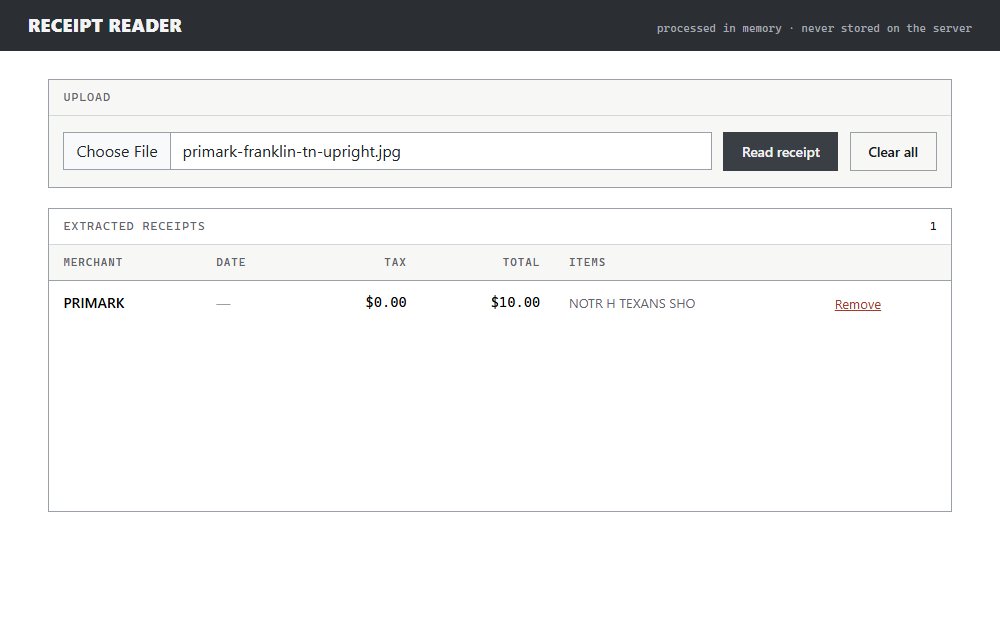
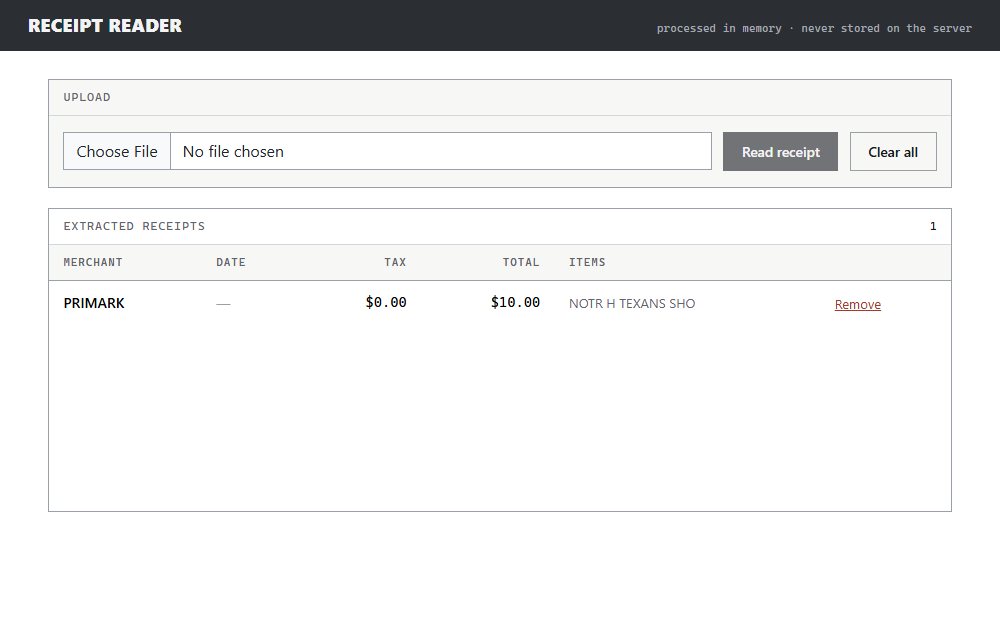
We barely have receipts lying around, so the test data was whatever I could find: one very creased receipt in my wife's purse. Photographed as it sat on the table, sideways, the model scored it 0.258 against a 0.50 threshold and the app refused it. Rotated upright — same paper, same creases, nothing else changed — it came back PRIMARK, $10.00, one line item. Both are in the walkthrough, in that order, because the refusal is the more useful half.
Nothing is kept. The upload streams through memory to Document Intelligence and is never written anywhere, the extracted rows live in your browser's localStorage, and the service holds no API key to leak because key authentication is switched off on the resource entirely. There is no database, and nothing to breach.
The one rule this app really has is that a receipt never touches disk. I wrote the endpoint
the obvious way first, binding the upload to an IFormFile and passing its stream along, and it would have broken that rule on every upload over 64 KB
— which is every receipt photograph. ASP.NET Core spools anything past MemoryBufferThreshold into the temp directory, so the promise would have been false without a single file write anywhere
in my code.
Reading the multipart body directly avoids that: the section stream is copied into a bounded
MemoryStream and handed to the analyzer,
and an oversized upload is refused during the read rather than absorbed and then rejected.
// The upload is read with MultipartReader rather than IFormFile.
//
// Model binding spools anything over FormOptions.MemoryBufferThreshold — 64 KB by default —
// into Path.GetTempPath(). A receipt photo is comfortably over that, so the governed
// promise that nothing reaches disk would have been false without a single File.Write
// anywhere in the codebase.
if (!MediaTypeHeaderValue.TryParse(context.Request.ContentType, out var contentType)
    || !contentType.MediaType.HasValue
    || !contentType.MediaType.Value!.StartsWith("multipart/", StringComparison.OrdinalIgnoreCase)
    || string.IsNullOrEmpty(contentType.Boundary.Value))
{
    return Failure(logger, "request was not multipart");
}

var boundary = HeaderUtilities.RemoveQuotes(contentType.Boundary).Value!;
var reader = new MultipartReader(boundary, context.Request.Body);

for (var section = await reader.ReadNextSectionAsync(cancellationToken);
     section is not null;
     section = await reader.ReadNextSectionAsync(cancellationToken))
{
    if (!ContentDispositionHeaderValue.TryParse(section.ContentDisposition, out var disposition)
        || !disposition.IsFileDisposition())
    {
        continue;
    }

    var declaredType = section.ContentType ?? string.Empty;
    if (!SupportedContentTypes.Contains(declaredType, StringComparer.OrdinalIgnoreCase))
    {
        return Failure(logger, "unsupported content type");
    }

    // Bounded copy into memory. In-memory processing is what the contract asks for; the cap
    // stops one request exhausting the process, and reading through a limiting stream means
    // an oversized upload is refused during the read rather than absorbed first.
    using var buffer = new MemoryStream();
    var copied = await CopyBoundedAsync(section.Body, buffer, MaxUploadBytes, cancellationToken);
    if (copied is null)
    {
        return Failure(logger, "payload exceeded the size cap");
    }

    buffer.Position = 0;
    var result = await analyzer.AnalyzeAsync(buffer, declaredType, cancellationToken);

    return result.IsSuccess
        ? Results.Ok(result.Receipt)
        : Failure(logger, $"analysis outcome {result.Outcome}");
}

return Failure(logger, "no file section in the request");
The test I am least proud of is the one that mattered most. To prove nothing reaches disk I
listed the temp directory before the request and after it, compared the two, and watched it
pass. Then I swapped in the naive IFormFile implementation that definitely does write receipts to disk, to see the test fail. It passed
against that too.
ASP.NET creates that temp file with DeleteOnClose, so by the time the response came back the evidence was gone. The fix was to sample inside
the analyzer callback, mid-request, while the file is still open — and then verify it both
ways: failing against the broken implementation, passing against the real one. Six other
tests were hollow in smaller ways, three of them async tests that never awaited, so a
rejection would have passed silently.
None of these call the model. The suites prove the plumbing — that bytes reach the analyzer unchanged, that every failure returns one indistinguishable response — and the free tier allows 500 pages a month at about two calls a minute, so a suite that hit it would exhaust the quota and flake on throttling. The walkthrough above is the exception: it runs against the real model, because a recording that stubbed it would be showing something the app does not do.
Every failure looks identical. A non-receipt, a low-confidence read, an oversized file, a wrong content type and an upstream outage all return the same 400 and the same sentence. A test compares the responses to each other rather than to an expected shape, so nobody can learn how the thing works by feeding it rubbish. That is also why the walkthrough shows a refusal with no explanation: telling the user to try a clearer photo would be the UI inventing a reason it does not have.
No key exists to leak. Key authentication is disabled on the Document Intelligence resource, so the app authenticates with a managed identity and there is no secret in app settings, in the repo, or in the pipeline. Deployment uses federated credentials rather than a publish profile, and basic auth is switched off on the App Service so the credential-shaped path back in is closed at the platform.
The free tier, on purpose. Document Intelligence F0 costs nothing and allows 500 pages a month, which is more than a demo needs. It also cannot do private endpoints or network rules, so the governance document's requirement that the runtime reach nothing but the model is met on the app's egress and not on the resource's ingress. That gap is written down rather than glossed, which is the point of writing the rules first.